For people who take mealtime insulin
Test meals in CosMeal: help your care team check your carb ratio
For people who take mealtime insulin: how to do a test meal in CosMeal, and how to share the report with your doctor or care team. CosMeal does not calculate doses or ratios.
Who this guide is for
If you take rapid-acting insulin with meals, your care team sets your insulin-to-carb ratio: how many grams of carbs one unit of insulin covers. To check that ratio, they need clear data: a known amount of carbs, one dose, and your glucose before and after the meal.
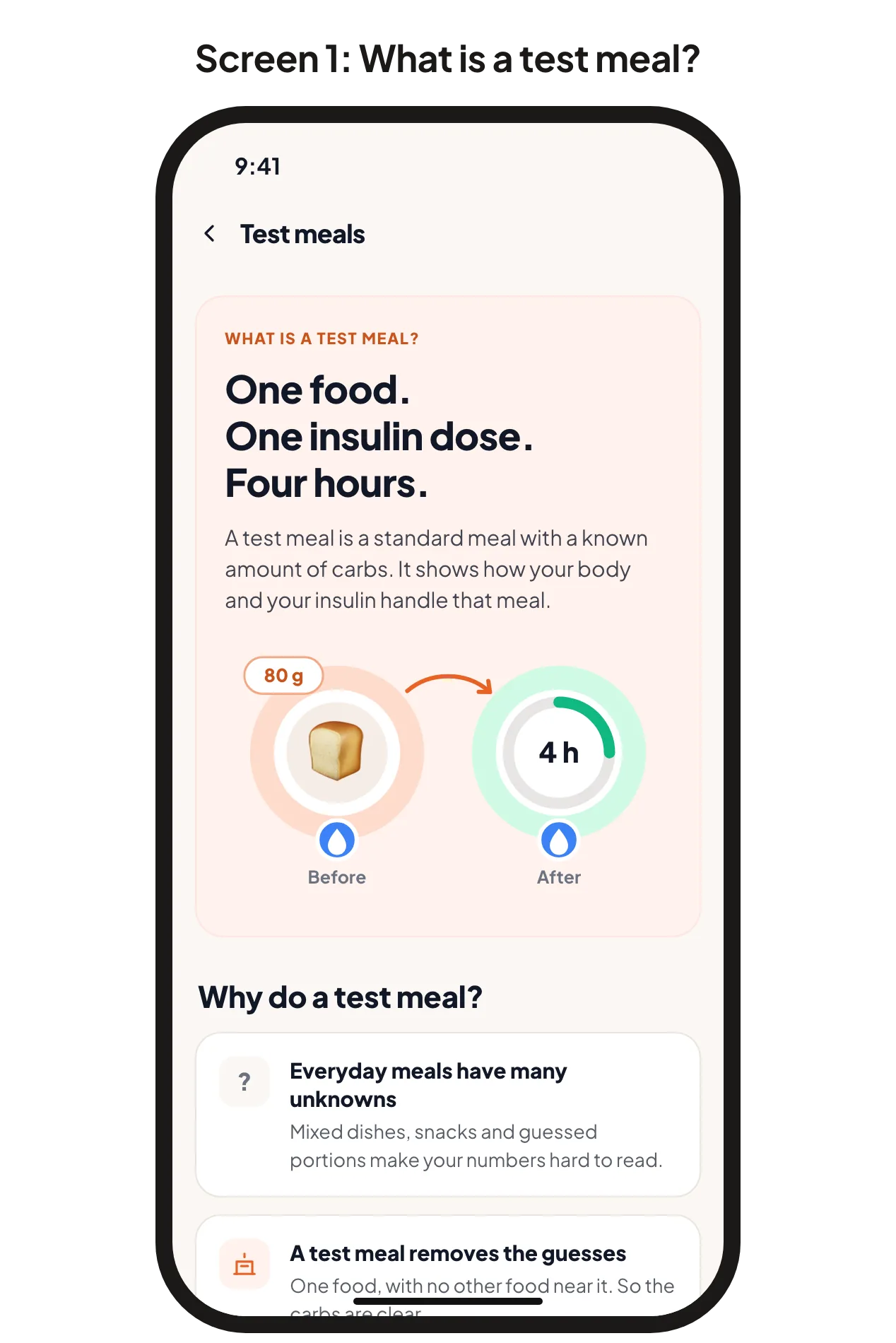
Everyday meals make this hard. Mixed dishes, snacks and guessed portions hide what happened. A test meal removes the guesses: one food, one insulin dose, and four hours with no other food.
Talk to your care team before you start. Ask them if test meals are right for you, which food to use, and how to take your dose.
Before you start: add Diabetes and turn on tracking
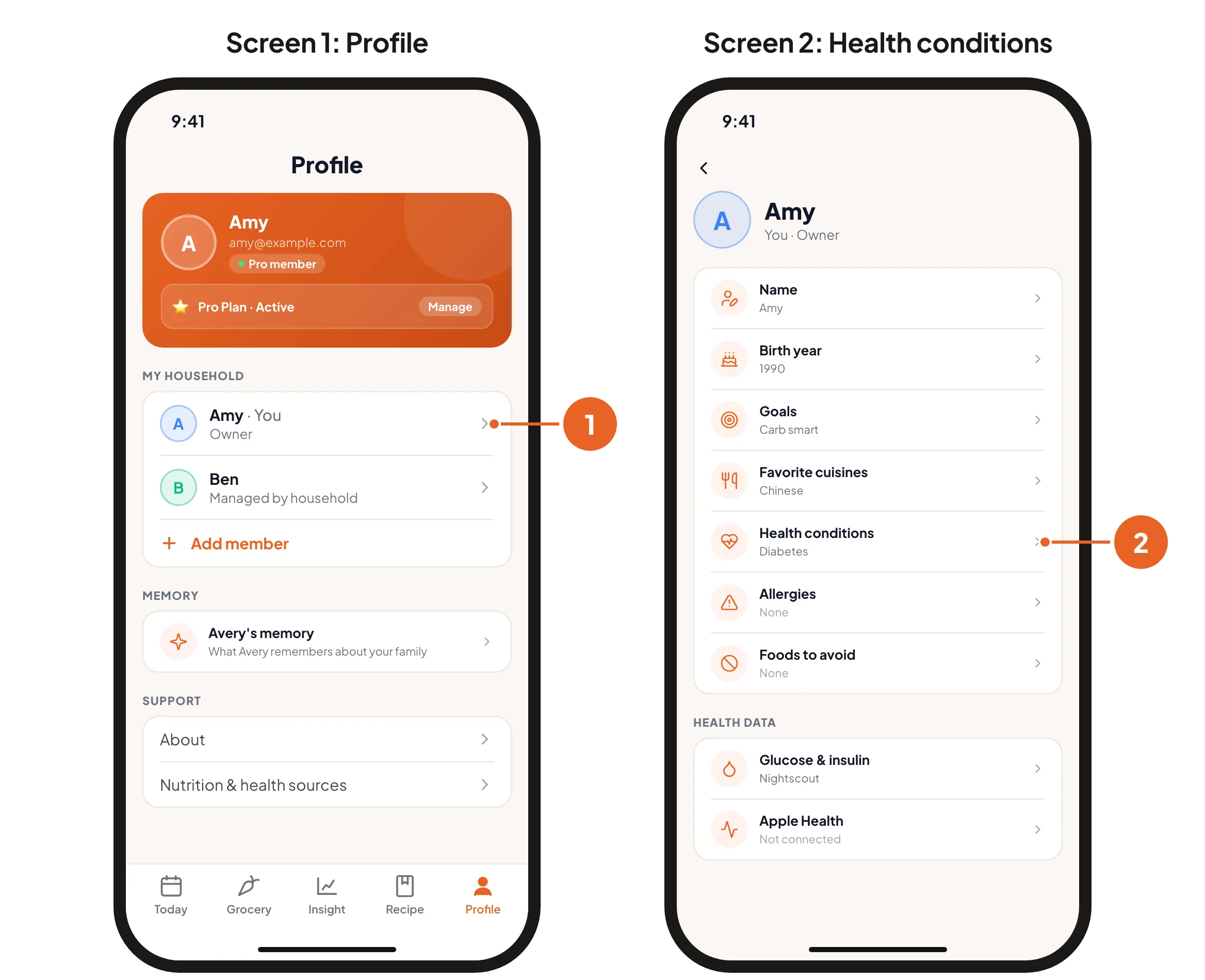
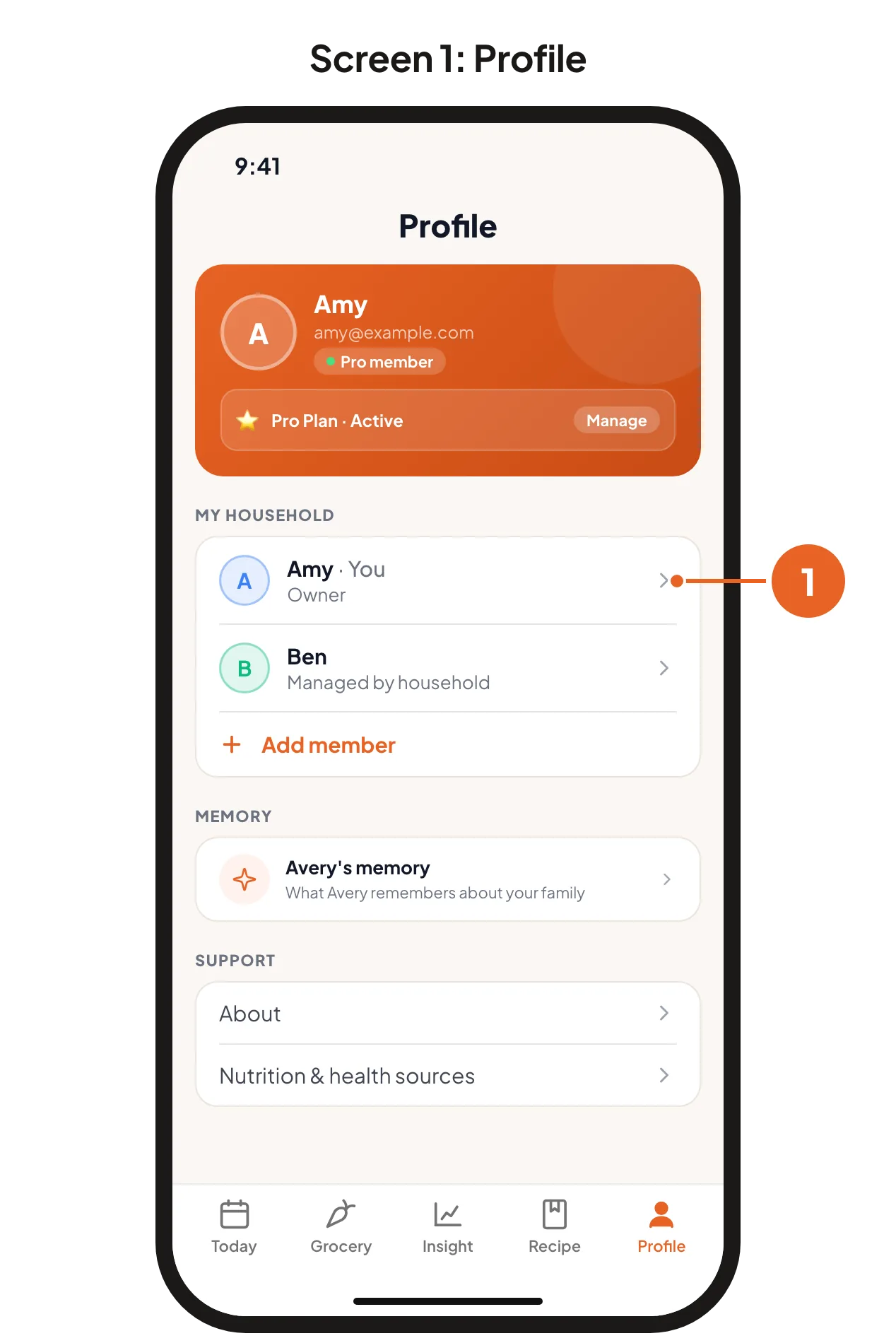
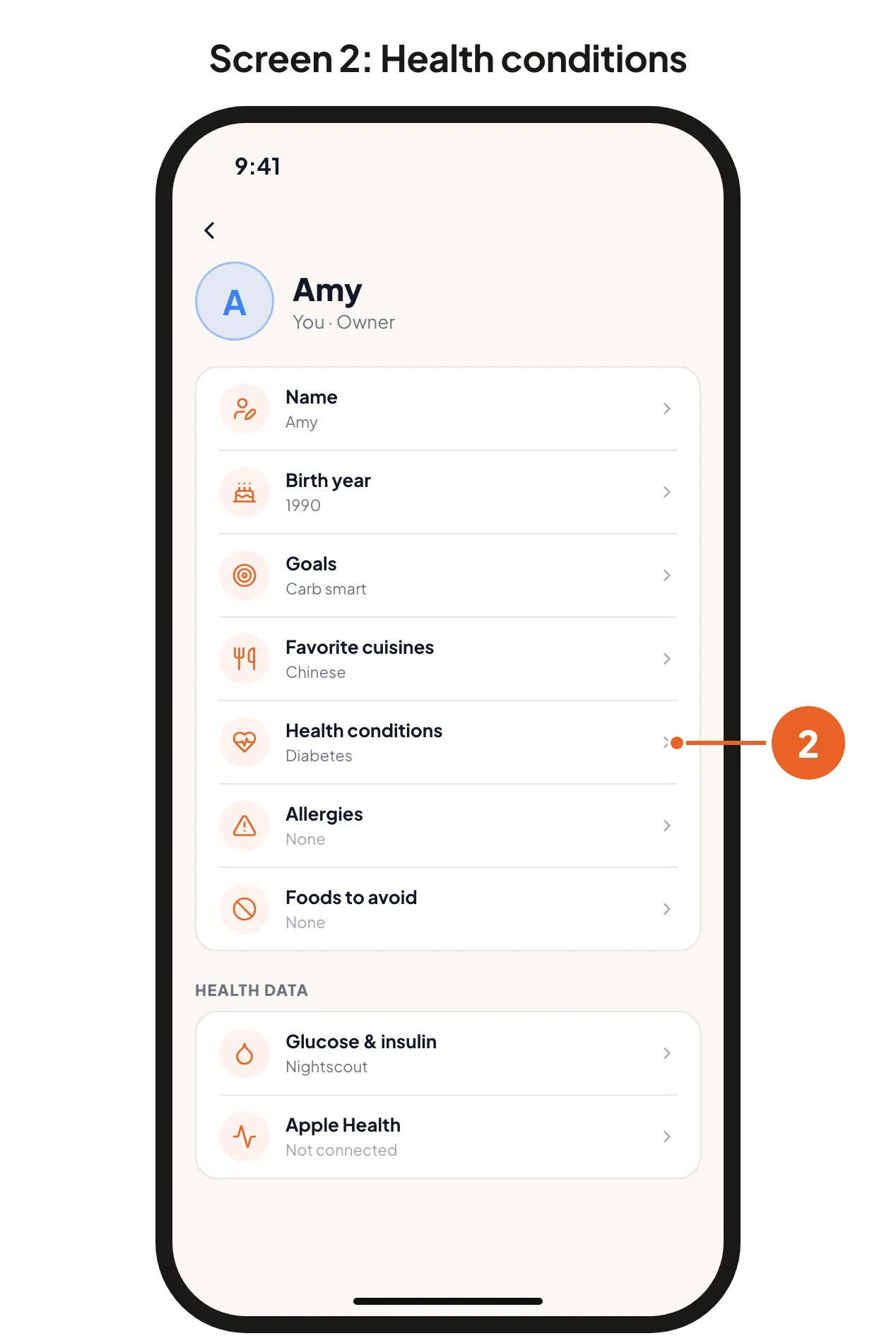
Test meals use your glucose and insulin records. In Profile, under My household, tap your own name, then Glucose & insulin under Health data. This row shows only if your Health conditions include Diabetes, Prediabetes or Gestational diabetes.
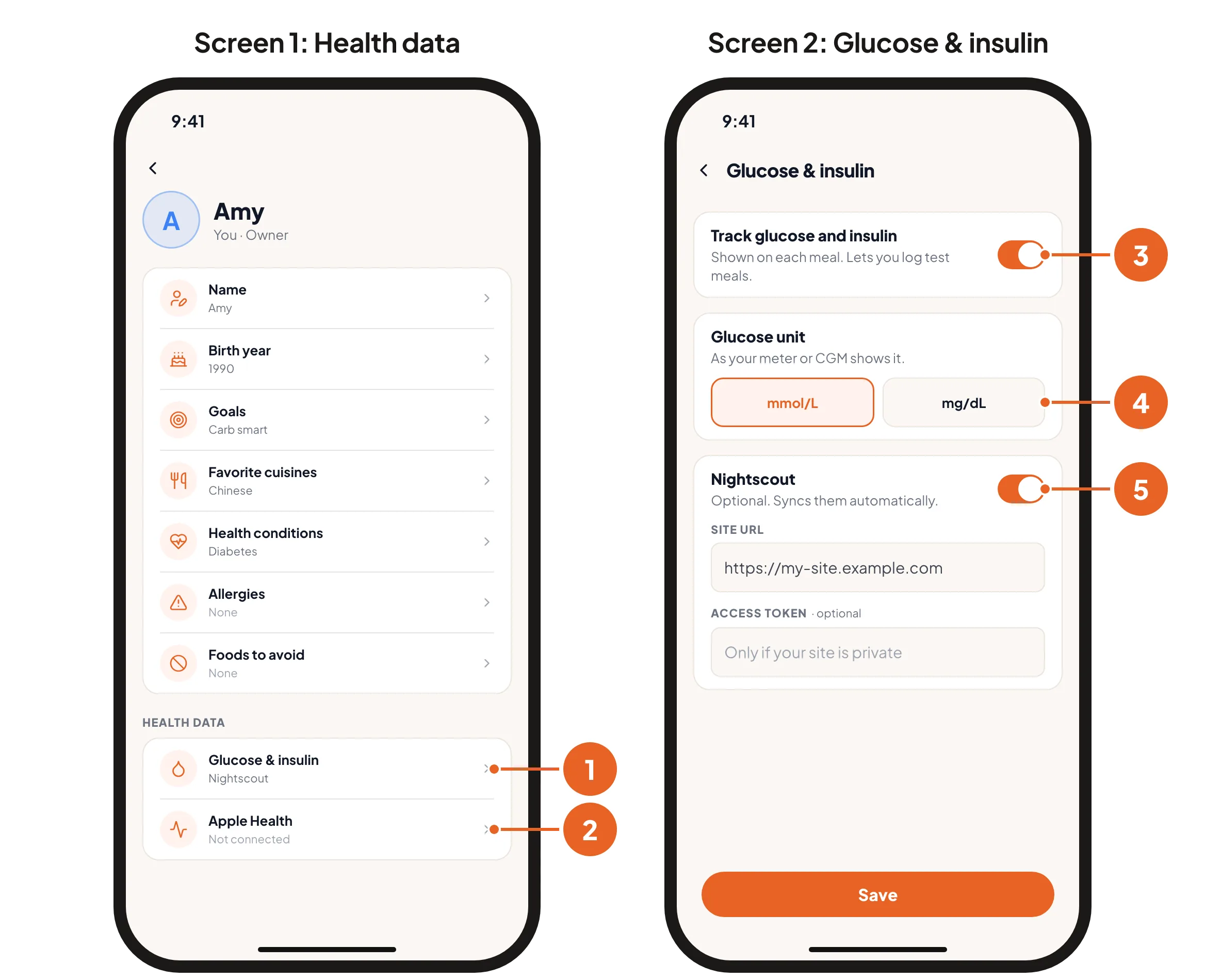
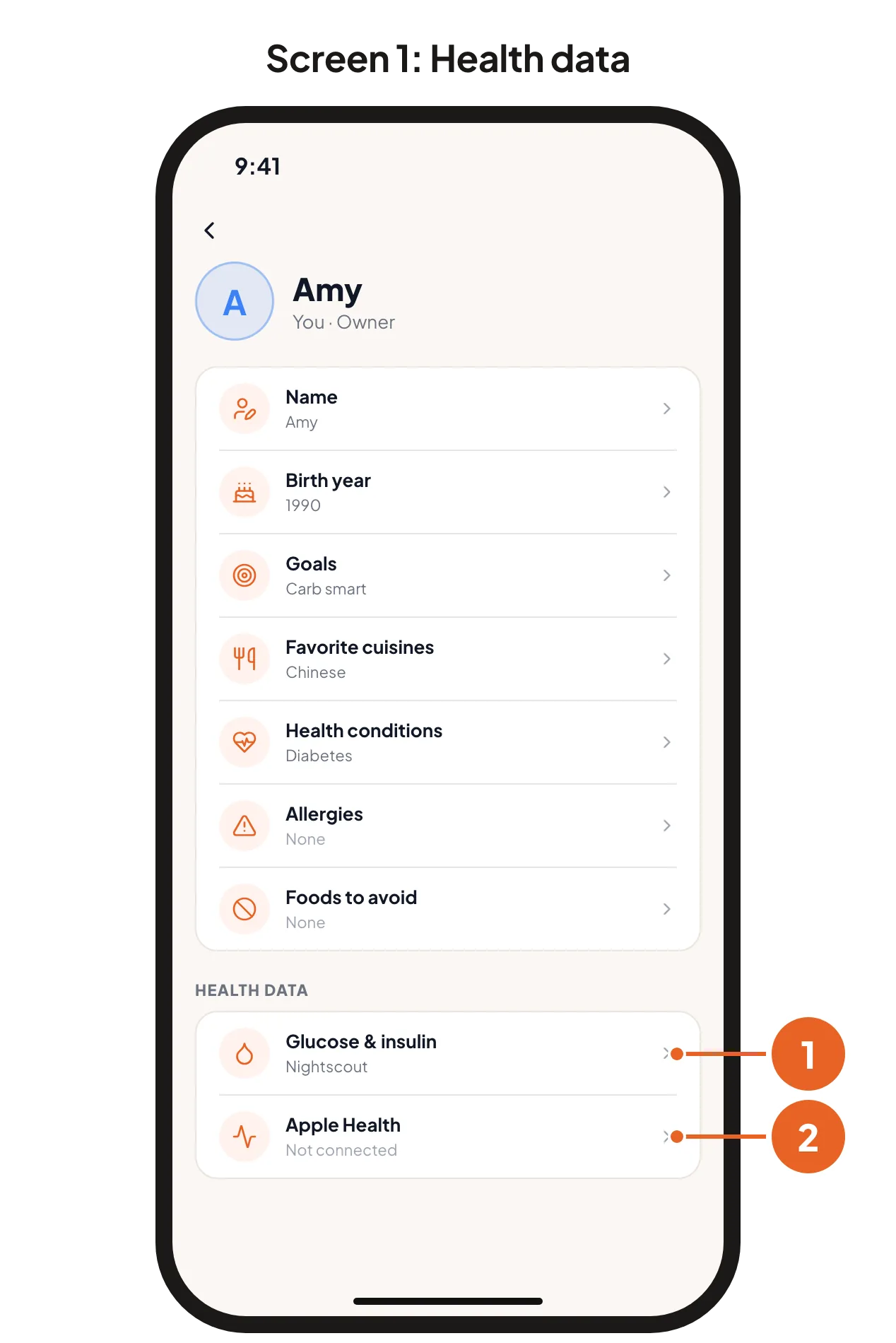
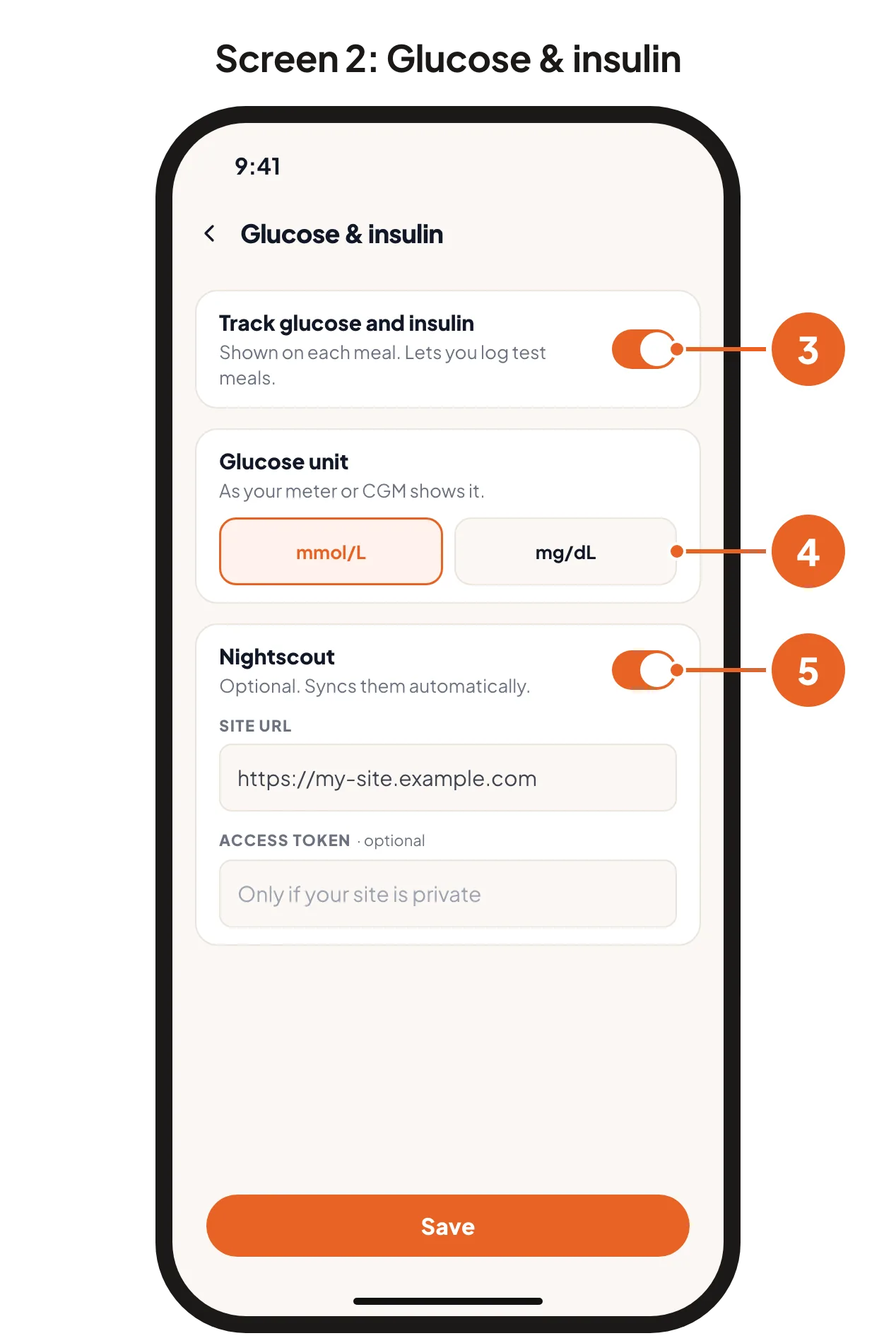
Turn on Track glucose and insulin and tap Save. CosMeal tells you what it collects and asks for your consent. Then pick your glucose unit. You can connect Apple Health (iPhone), Health Connect (Android) or Nightscout, so that CosMeal reads your readings and doses for you. Or you can add them by hand.
A test meal in five steps
A test meal has five steps. CosMeal shows the same steps in the app.
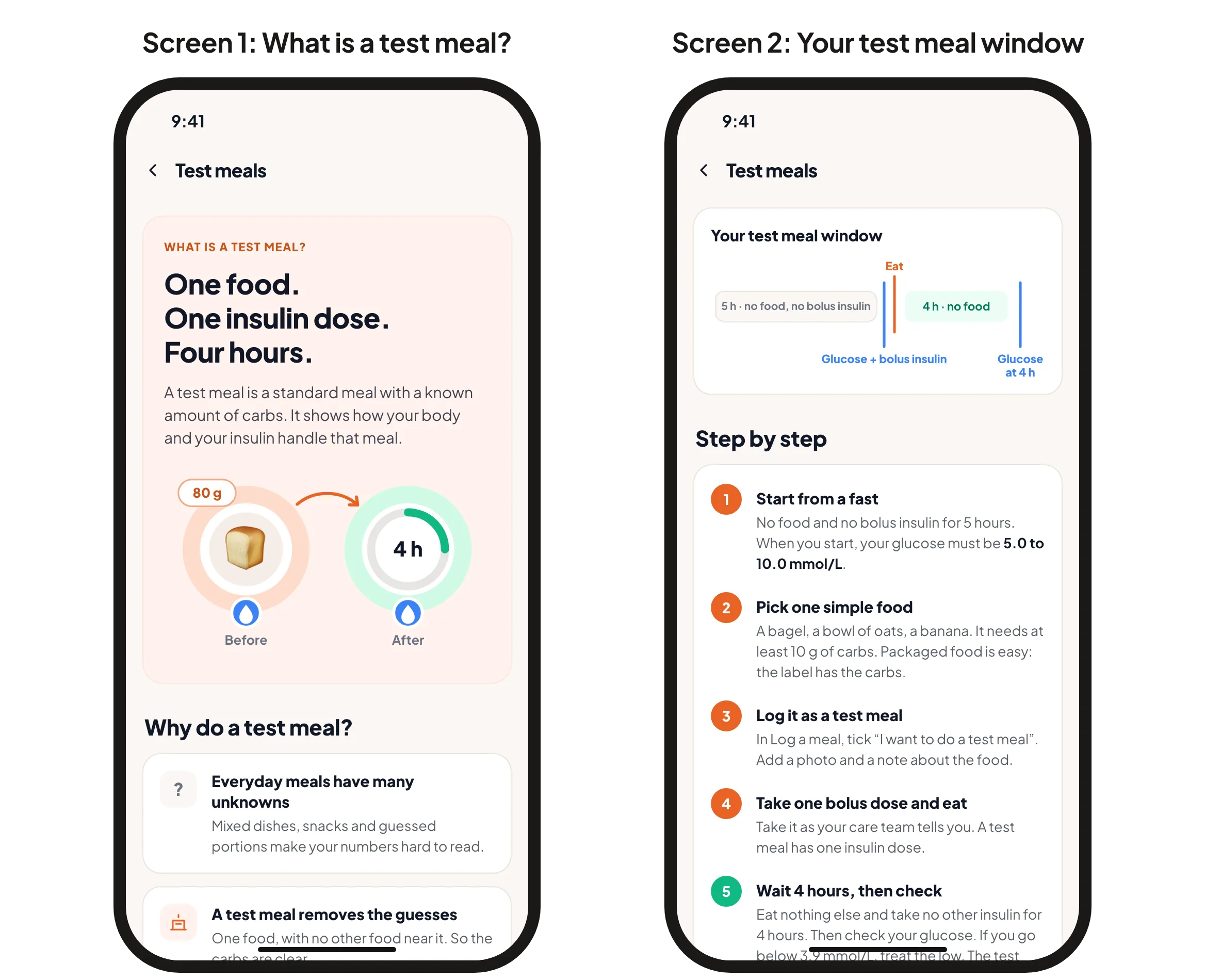
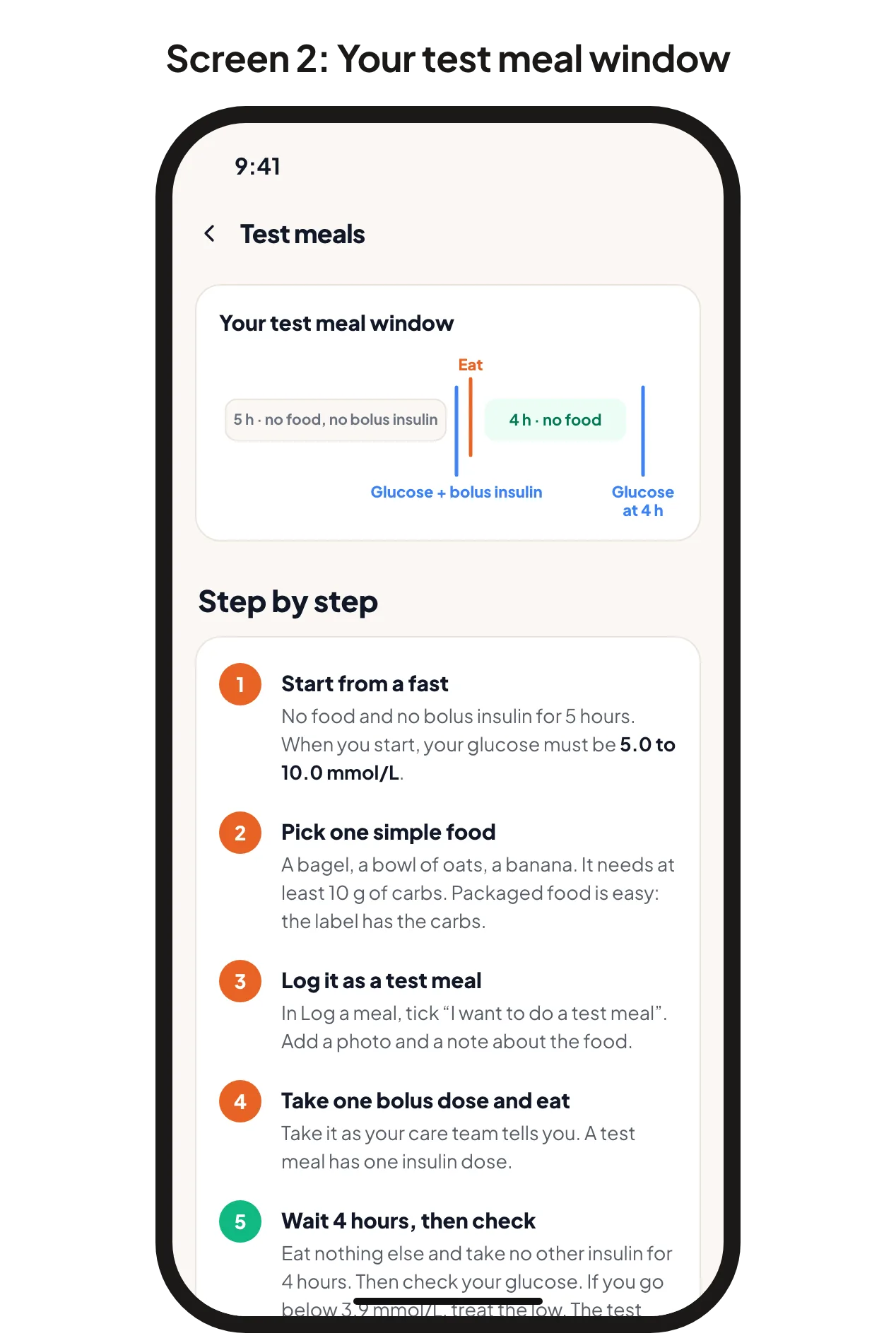
- Start from a fast. No food and no bolus insulin for 5 hours. When you start, your glucose must be 5.0 to 10.0 mmol/L (90 to 180 mg/dL).
- Pick one simple food. A bagel, a bowl of oats, a banana. It needs at least 10 g of carbs. Packaged food is easy: the label has the carbs.
- Log it as a test meal. In Log a meal, tick “I want to do a test meal”. Add a photo and a note about the food.
- Take one bolus dose and eat. Take it as your care team tells you. A test meal has one insulin dose.
- Wait 4 hours, then check. Eat nothing else and take no other insulin for 4 hours. Then check your glucose.
The times are strict, so that every test meal can be compared. The glucose before is the last reading in the 30 minutes before the meal. The dose must be from 15 minutes before to 15 minutes after the meal. The 4-hour reading must be from 3 hours 45 minutes to 4 hours 15 minutes after the meal.
If you go below 3.9 mmol/L (70 mg/dL), treat the low. The test ends there and still counts: the meal is complete and goes in your report.
To read these steps in the app, tap See more › next to I want to do a test meal on Log a meal. Or, on Insight › Test meals, tap How to do a test meal with CosMeal?
Log the test meal
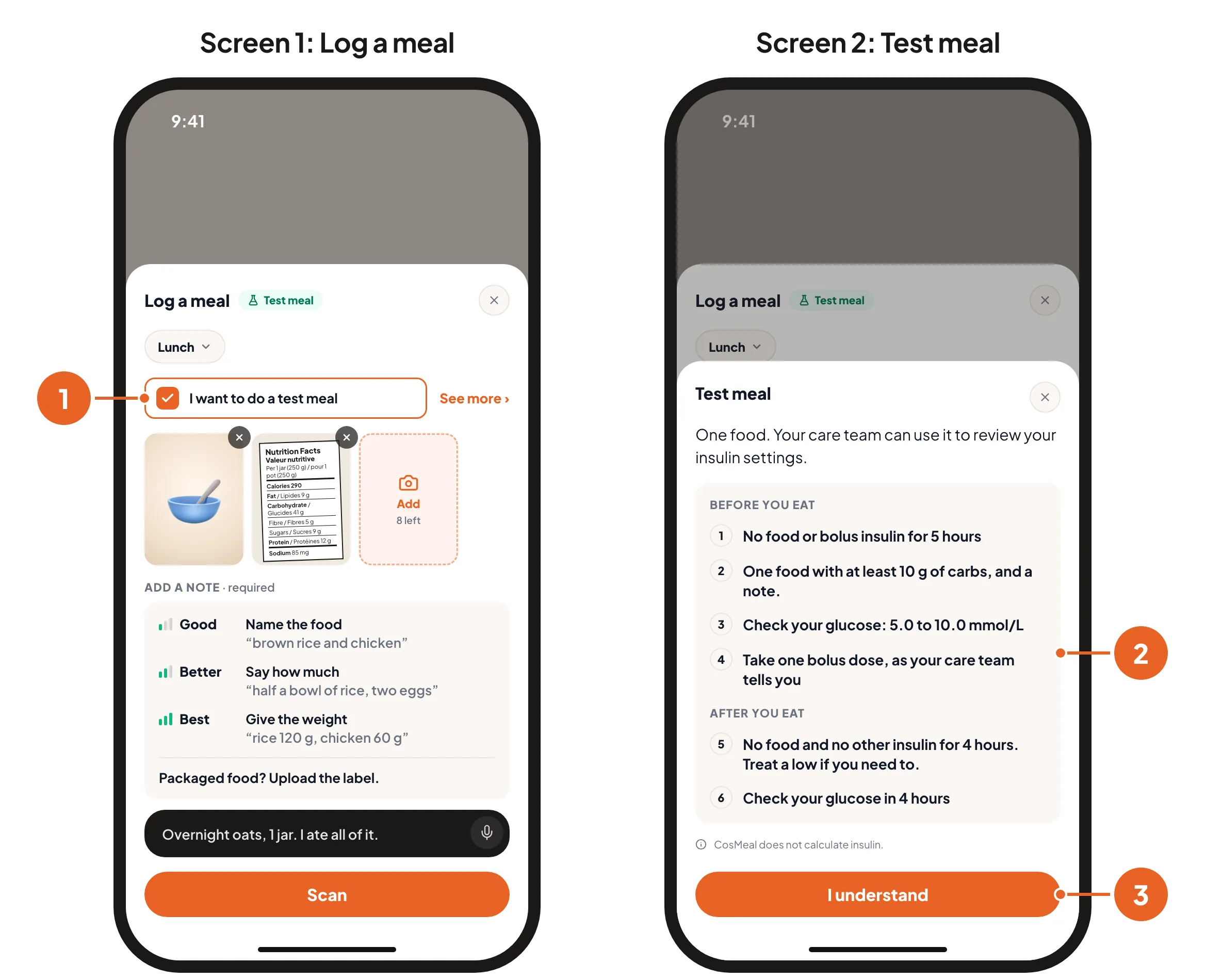
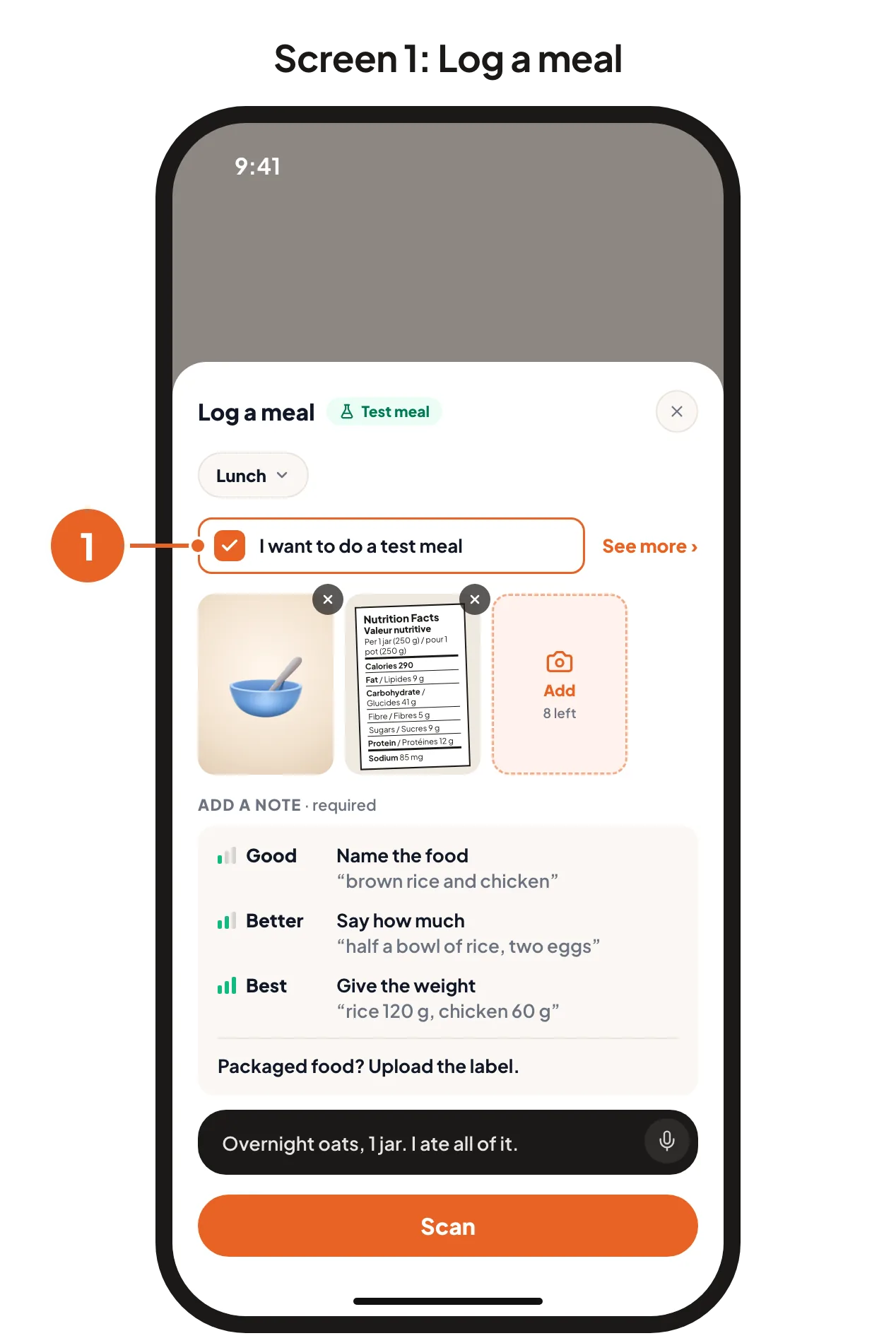
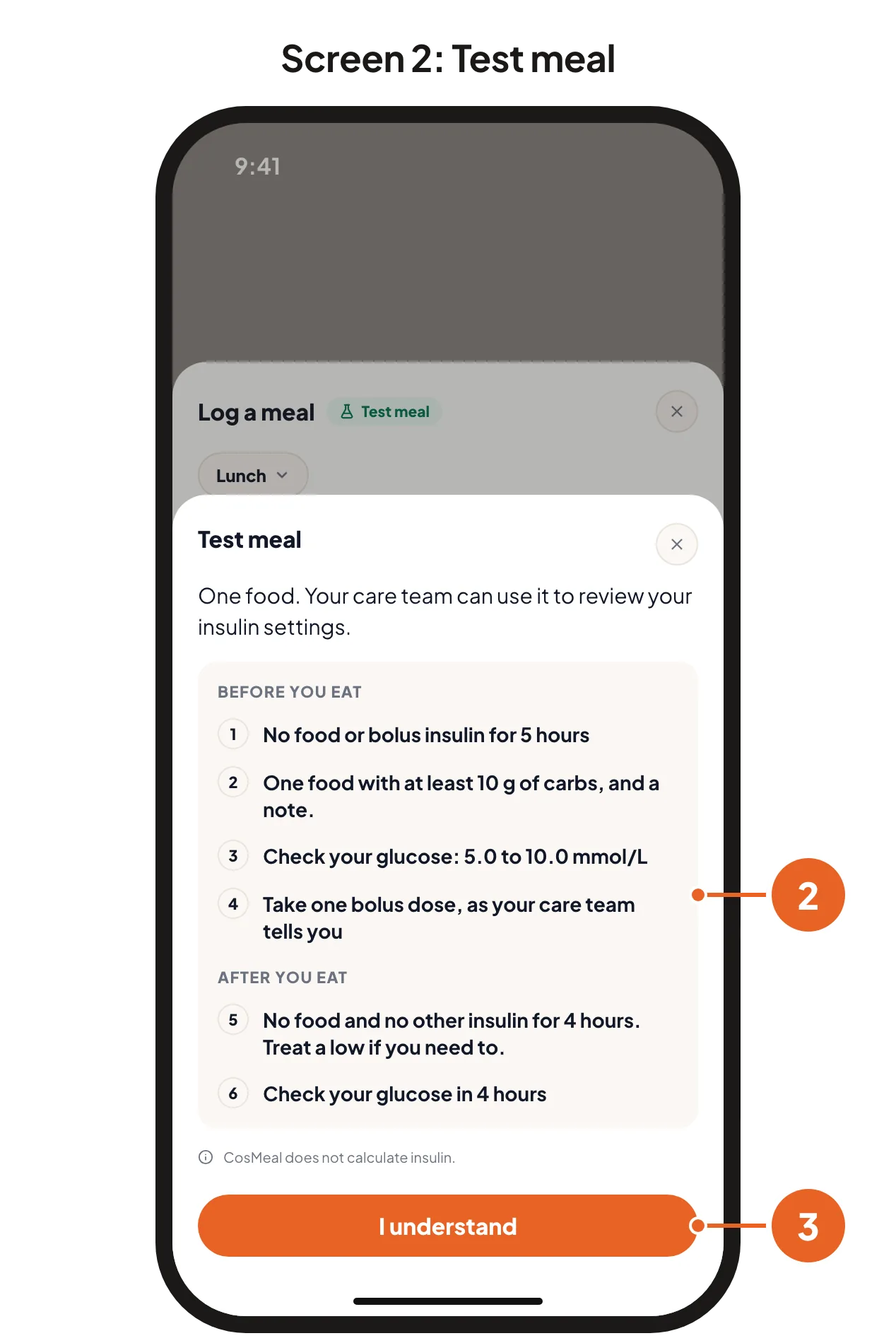
On Today, tap the camera button. On Log a meal, tick I want to do a test meal, read the rules and tap I understand. Pick breakfast, lunch or dinner: the meal must have nothing logged yet today.
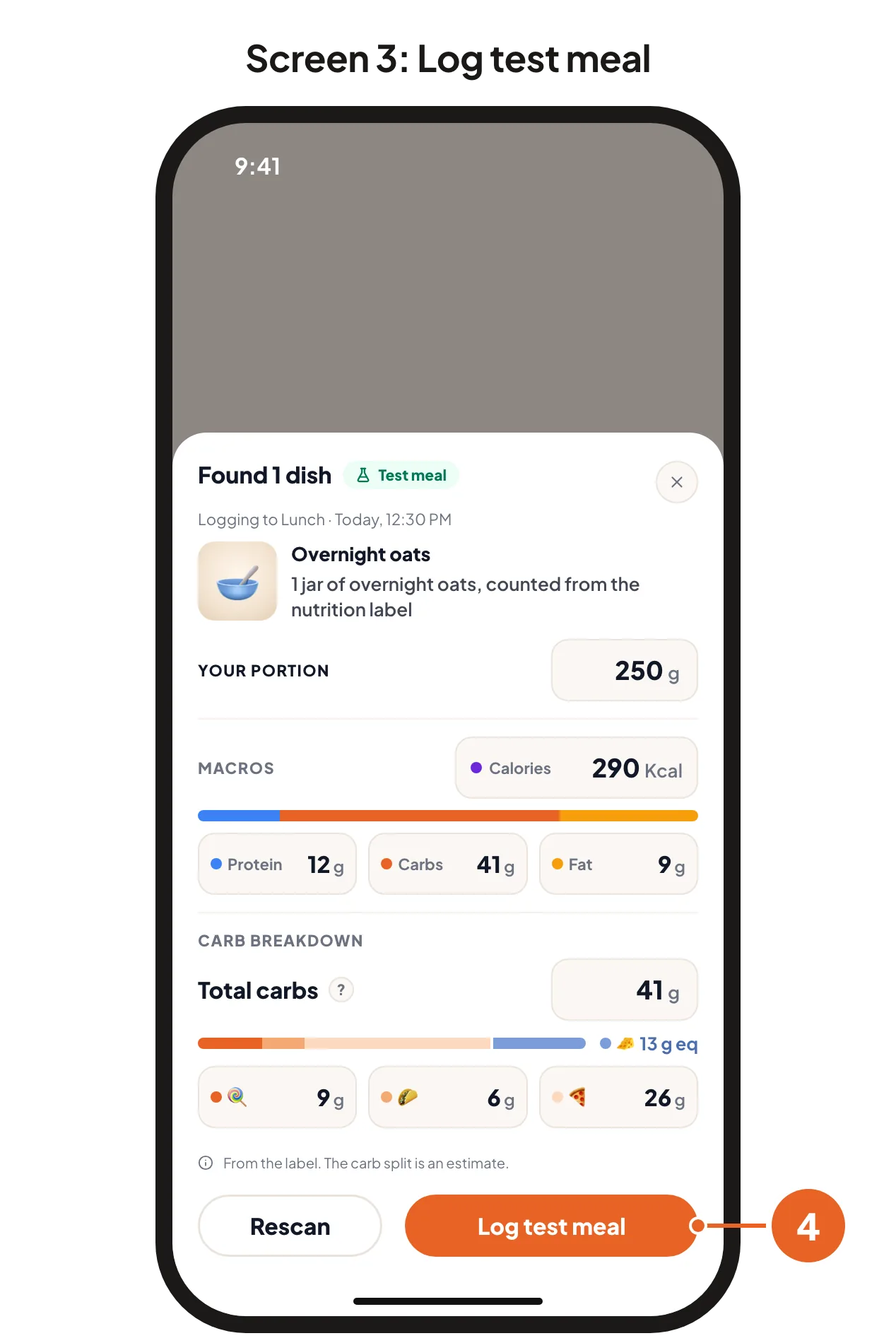
Add a photo of the one food and a note about it. If the food has a nutrition label, add a photo of the label too: the carbs then come from the label. Tap Scan and check the numbers. If a number looks wrong to you, tap its box and type your own. Then tap Log test meal. The test meal is logged at the time you tap, and you cannot change that time later. So tap just before you eat.
Add your glucose and insulin
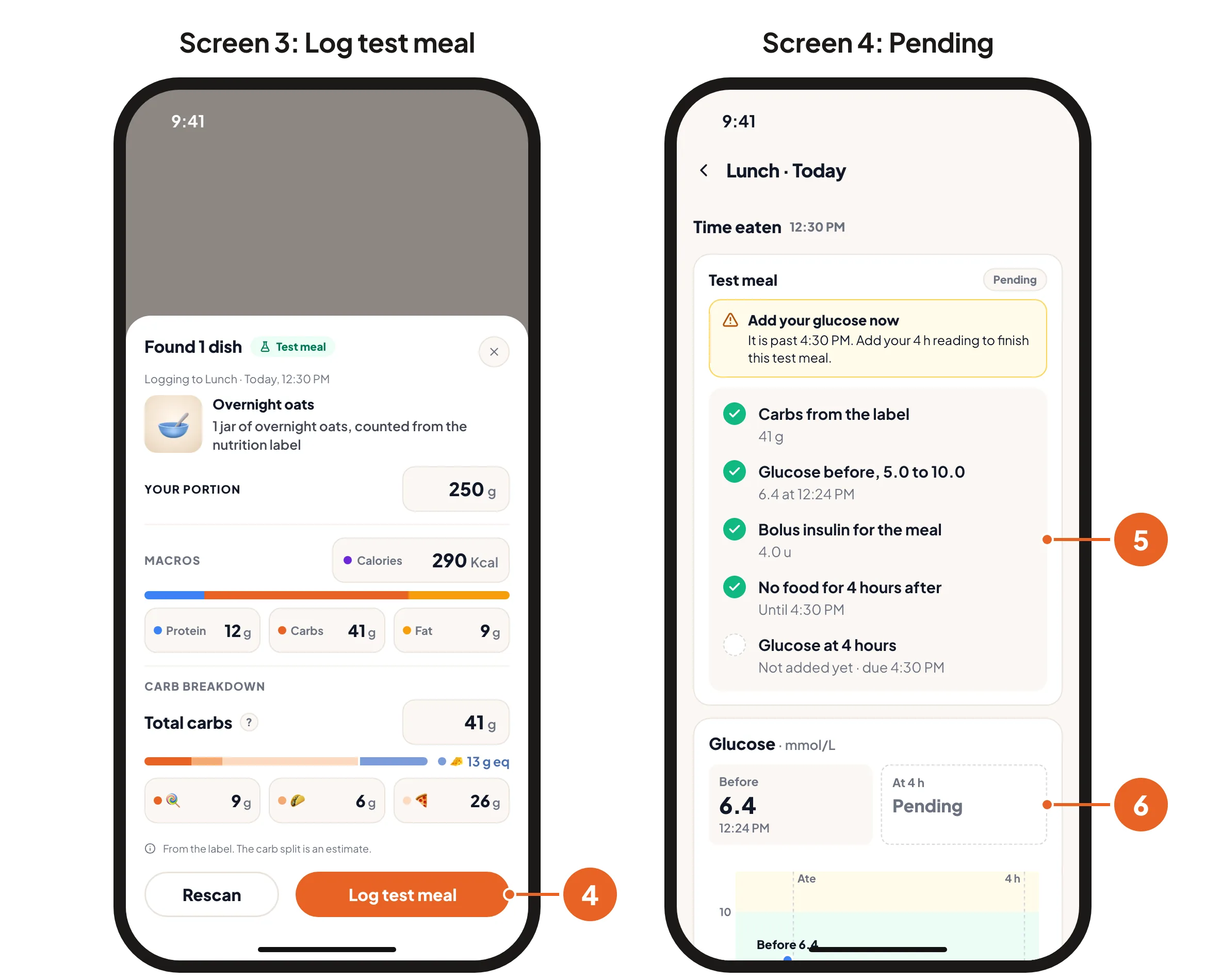
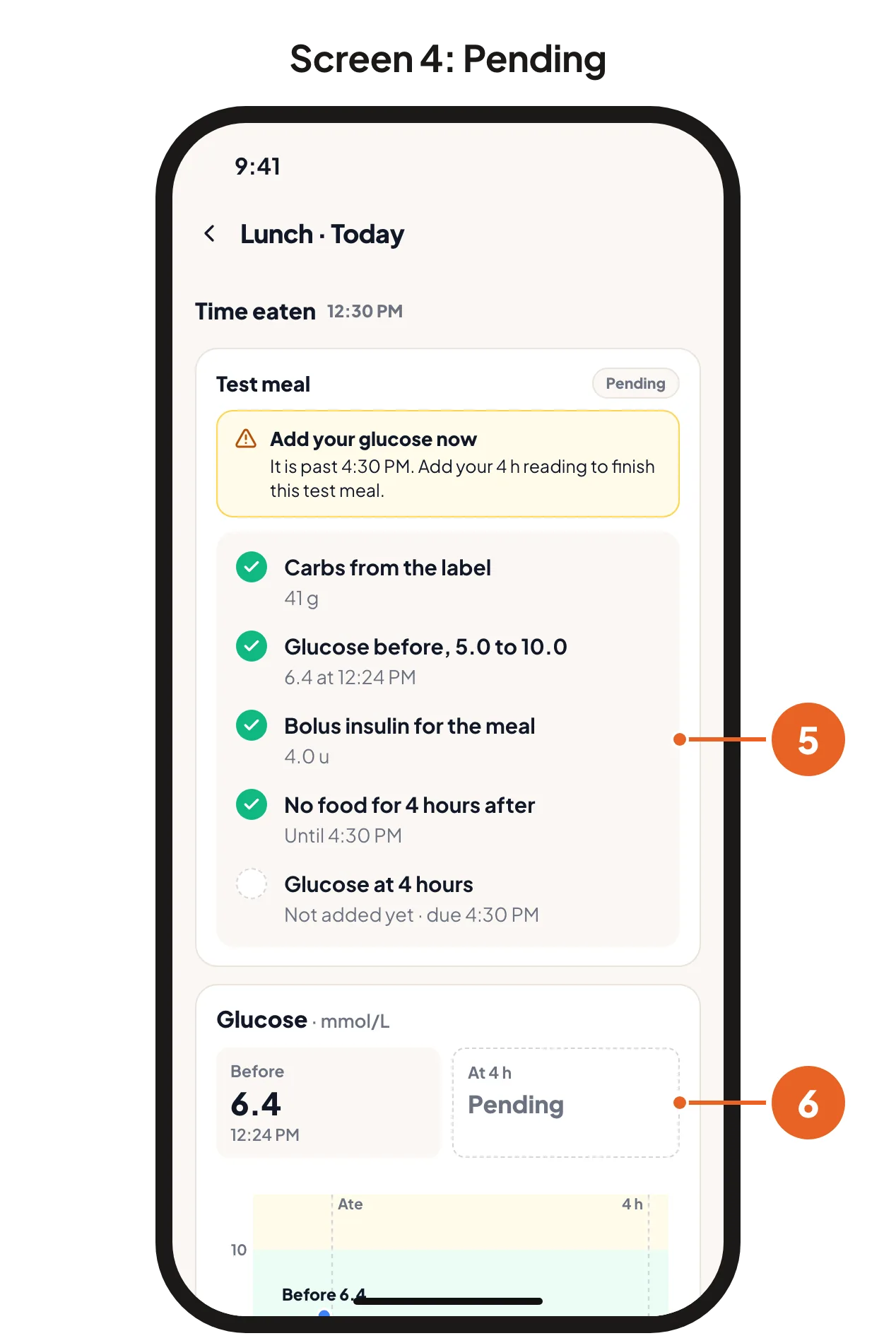
The test meal page opens. It shows a mark for each rule: carbs, glucose before, insulin for the meal, no food for 4 hours, and glucose at 4 hours.
With Nightscout or Apple Health, you only log the meal. CosMeal reads your glucose before and at 4 hours, and your insulin. Data can arrive late, so CosMeal waits for it. Health Connect has no insulin type, so on Android add your dose by hand or use Nightscout.
By hand, tap Add reading to add your meter reading before you eat, and Add bolus insulin to add your dose. CosMeal asks if it can remind you at 4 hours. Tap Remind me. When the reminder comes, check your glucose and add the reading.
Finish and read the result
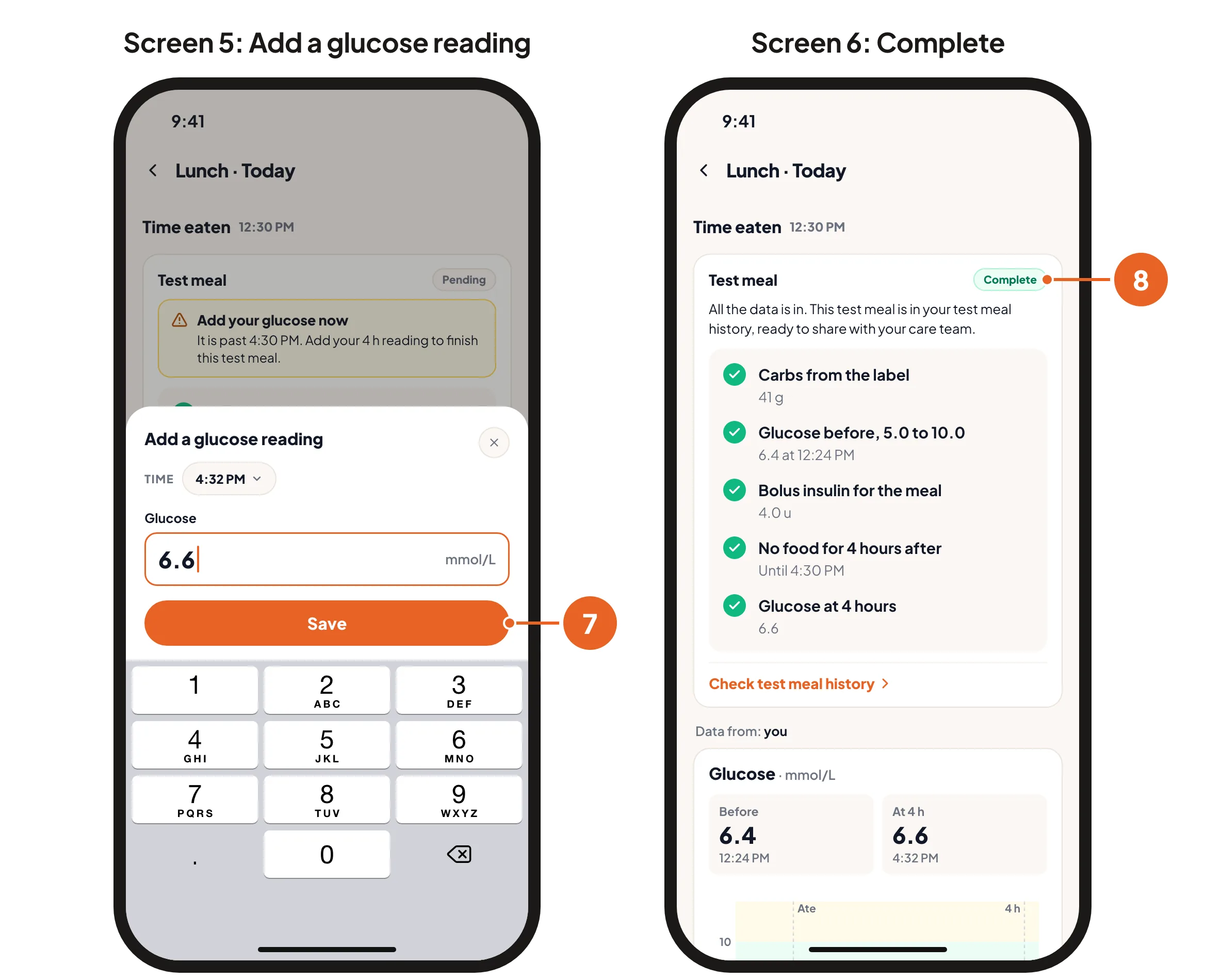
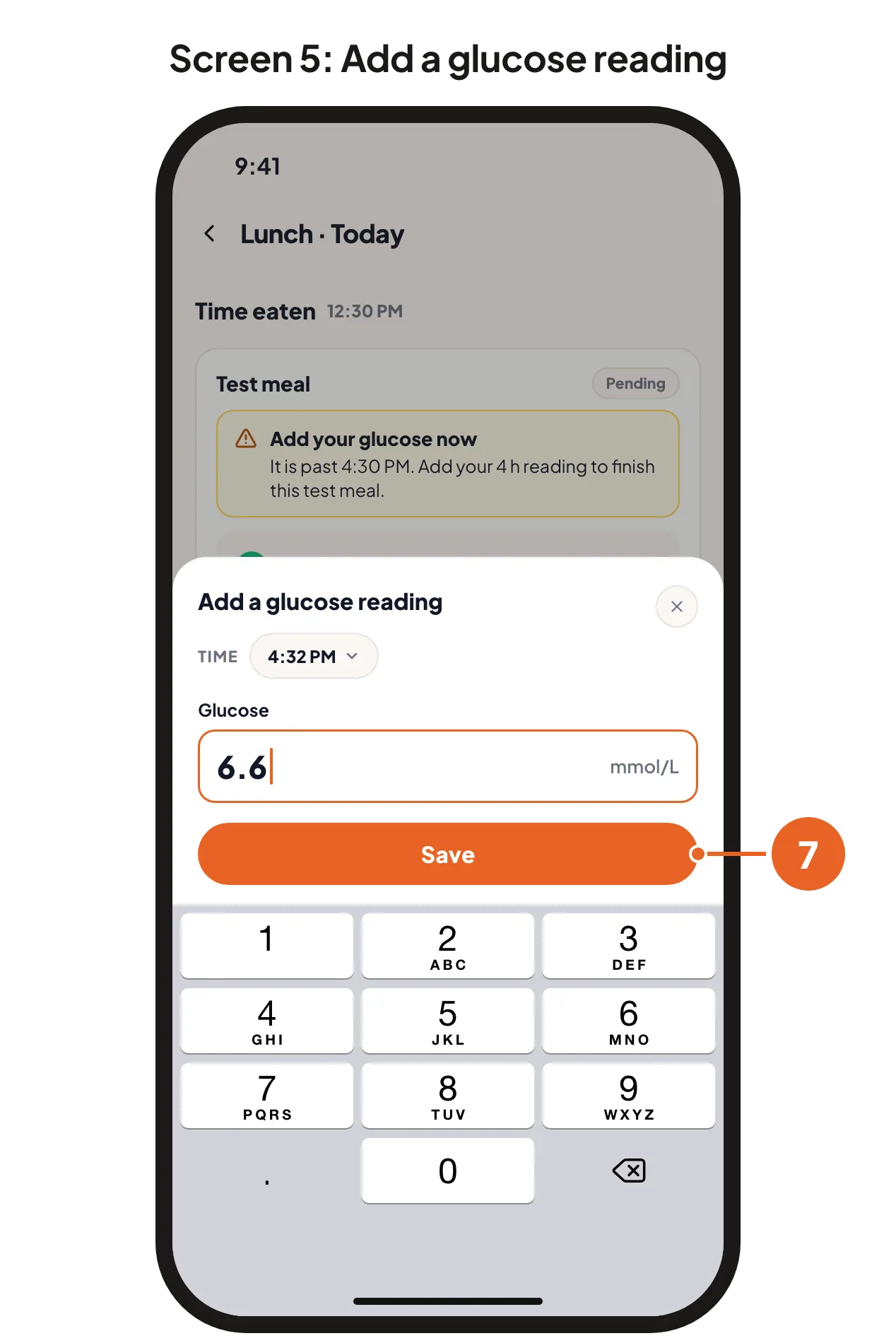
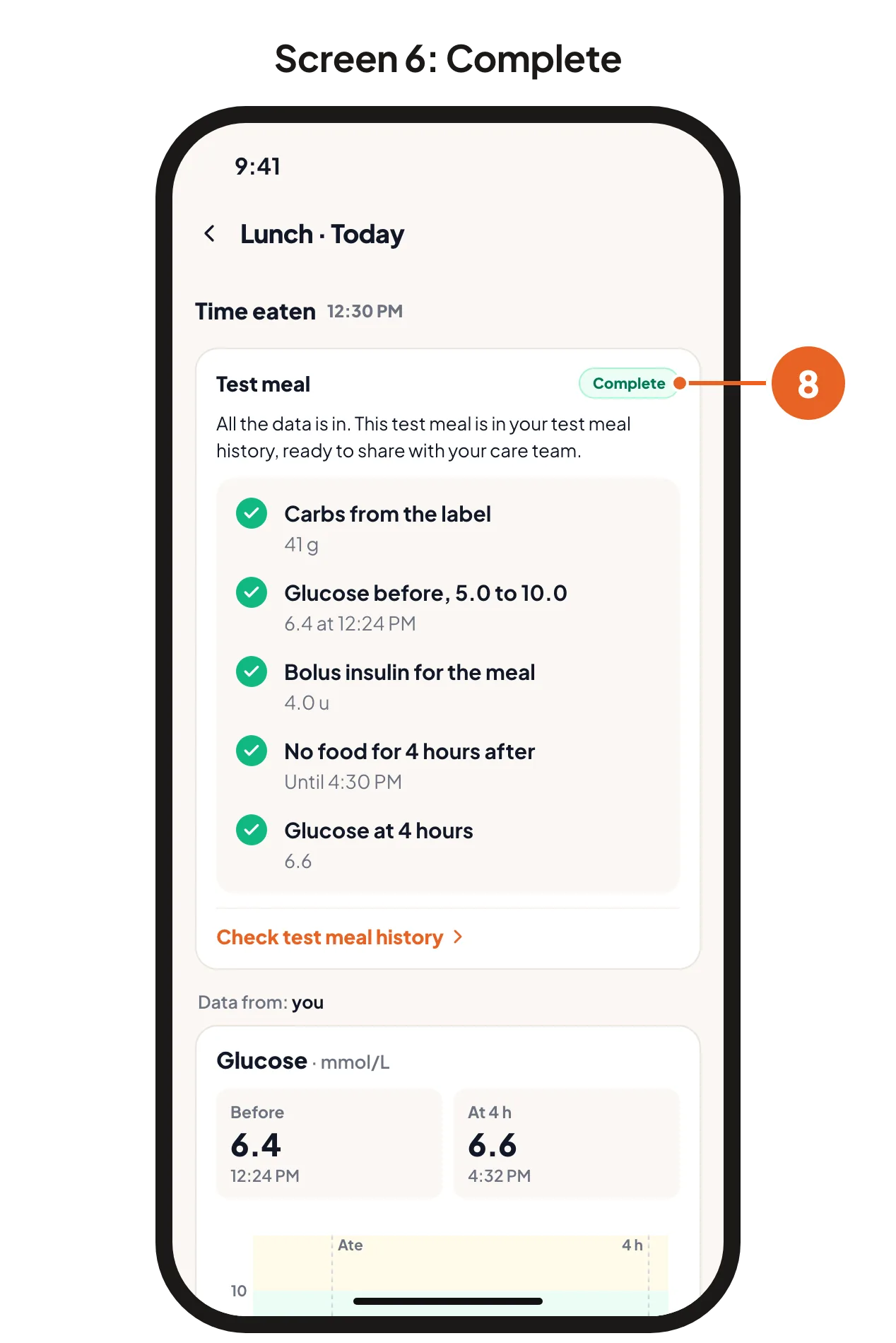
Each test meal has one of three results:
- Complete: all the data is in, or a low ended the test early. It goes in your report.
- Pending: some data is not in yet, or 4 hours have not passed.
- Not used: a rule was not followed, for example a snack or a second insulin dose in the 4 hours, or data was still missing 24 hours after the meal. The meal stays in your log, but it is not in the report.
Share the report with your care team
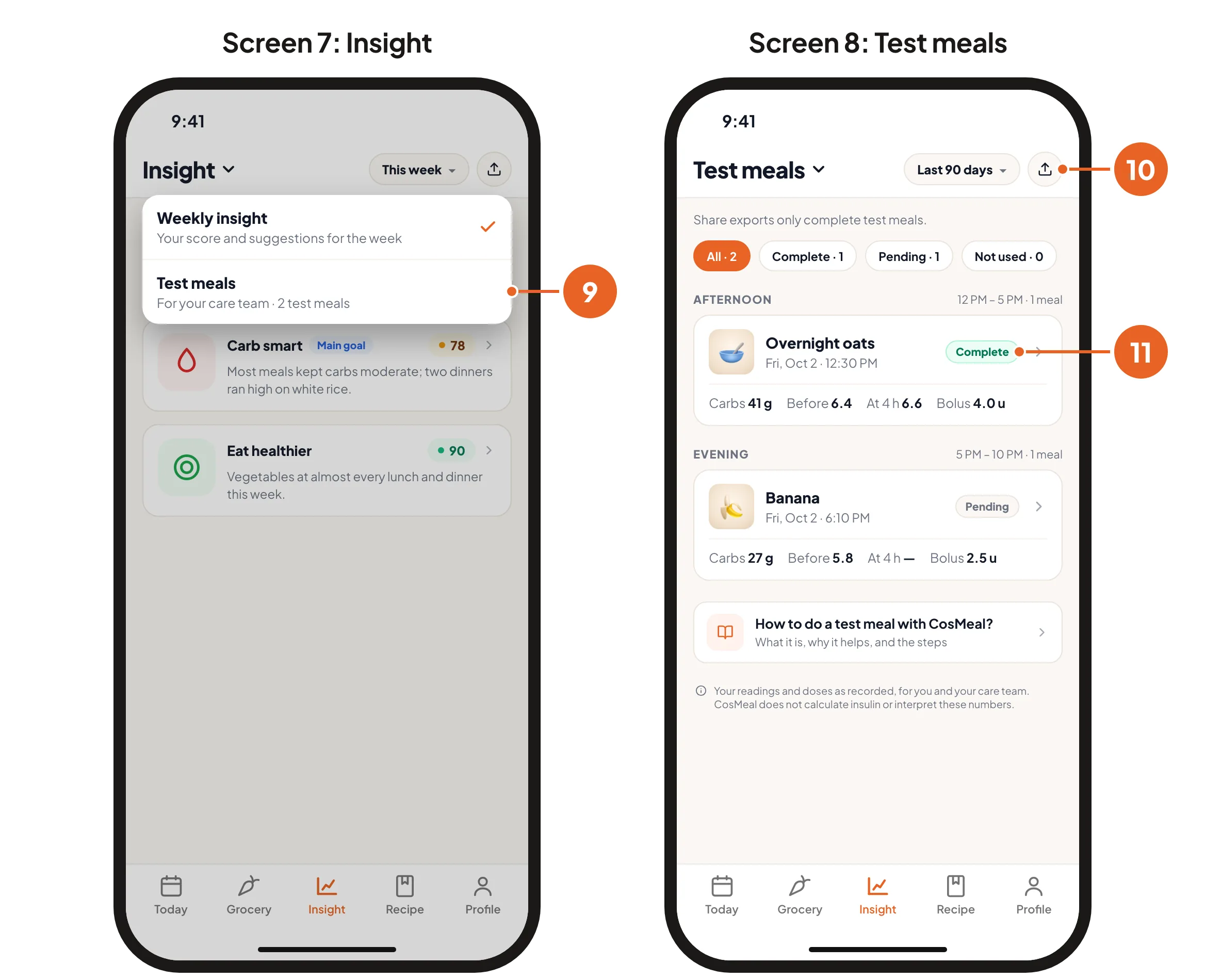
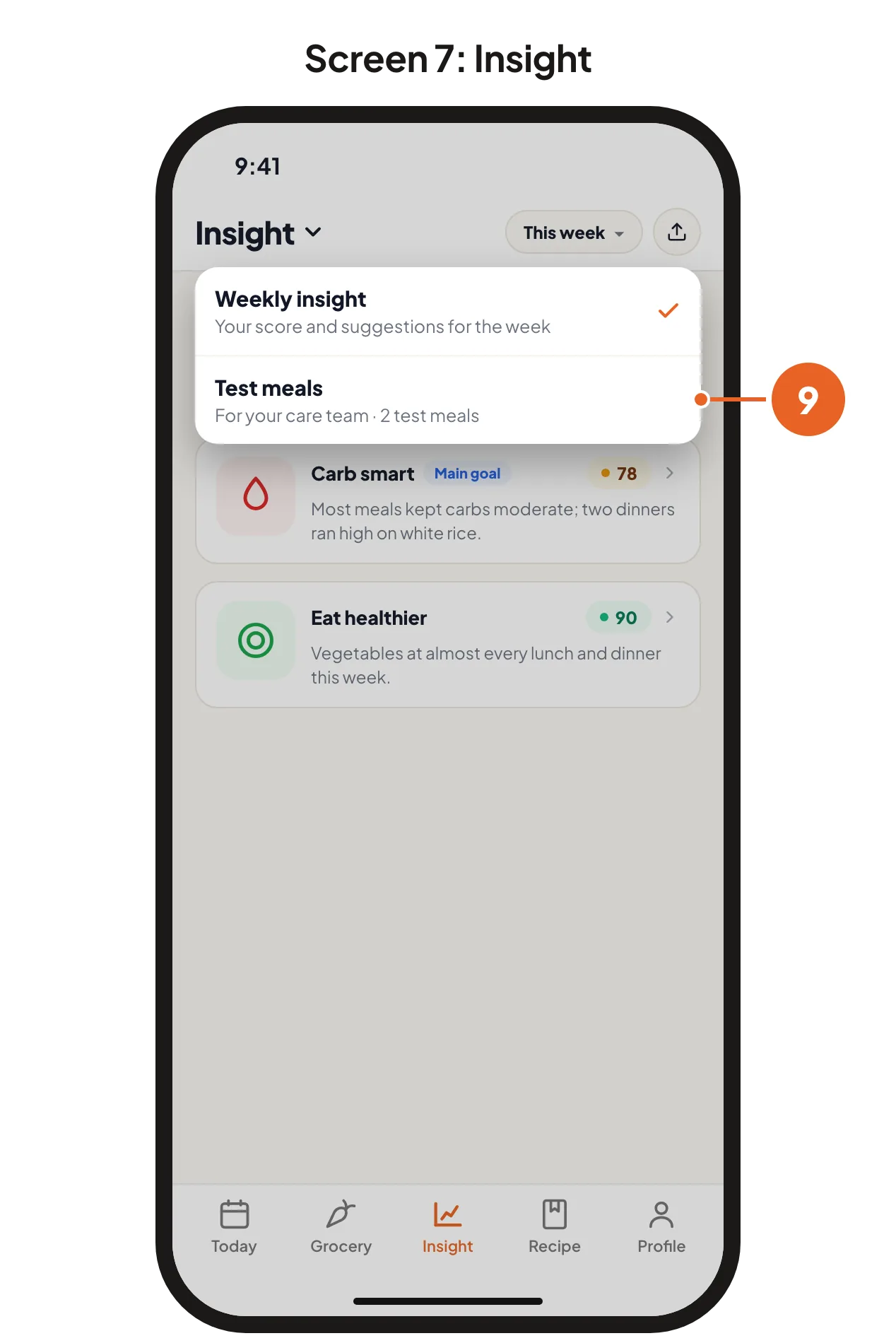
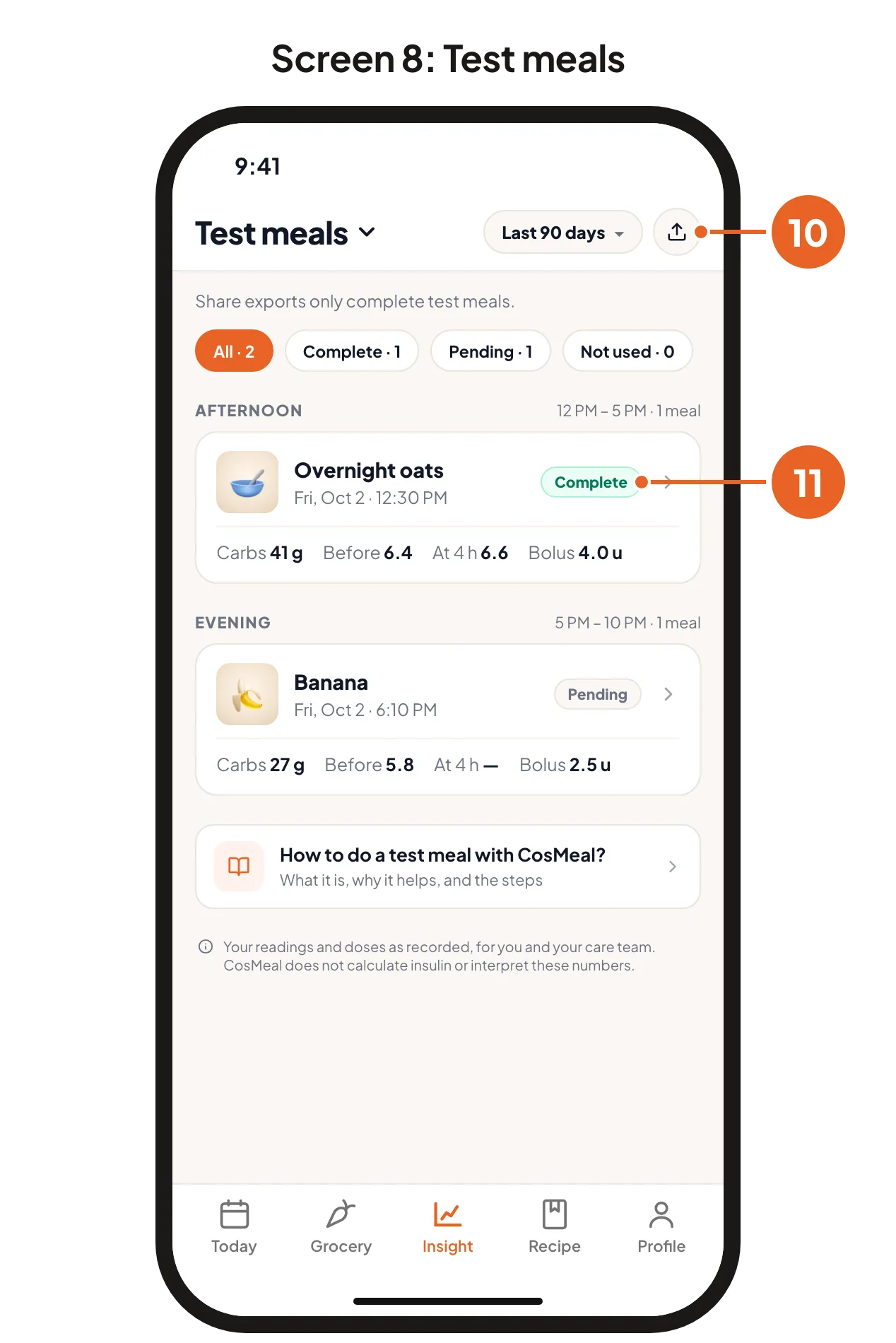
On the Insight tab, tap the title Insight, then Test meals. You see all your test meals, grouped by morning, afternoon, evening and night. Tap the share button at the top right. CosMeal makes a PDF of your complete test meals in the period shown: Last 90 days or All.
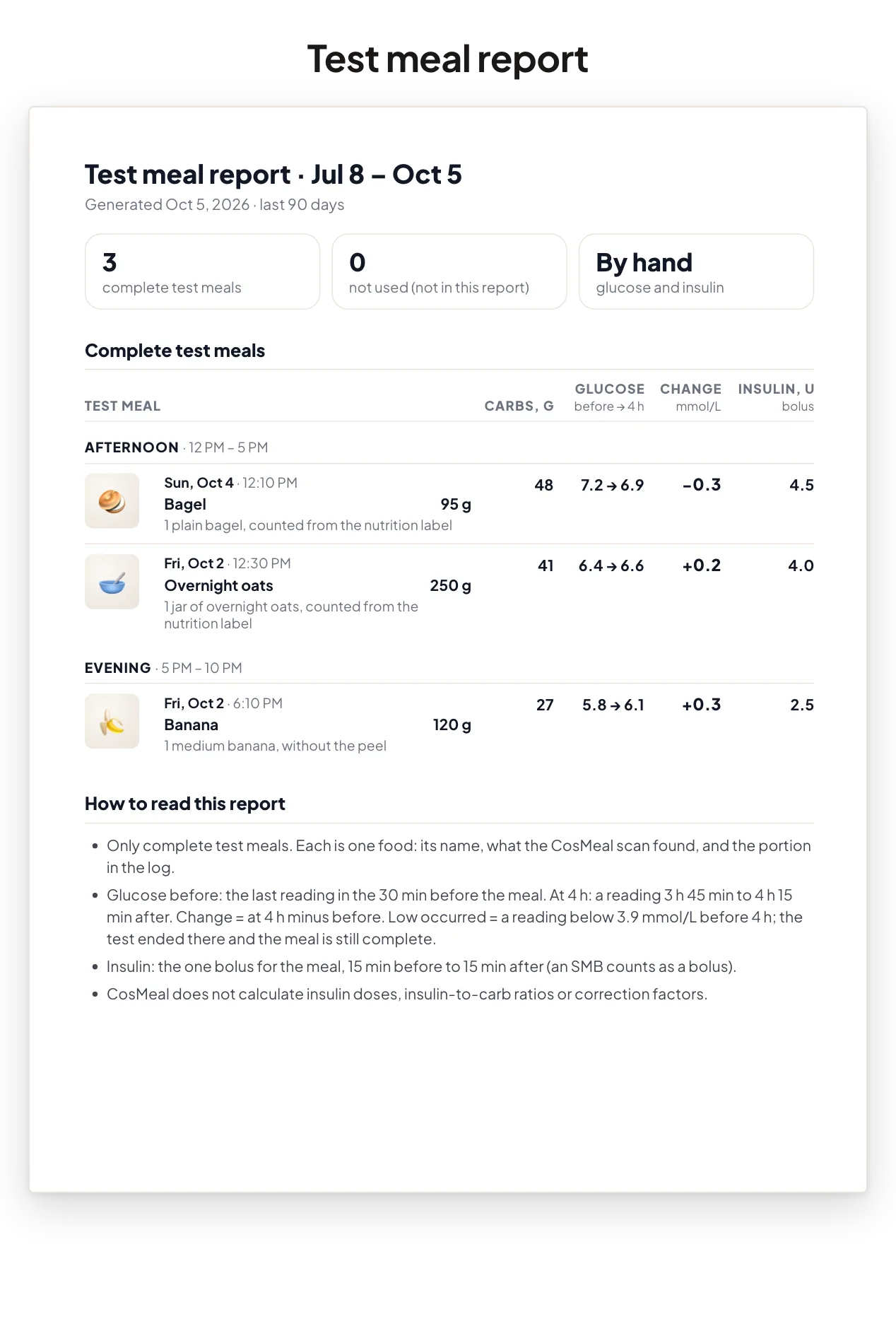
For each complete test meal, the report shows:
- the day and time, the food, and the portion you logged
- the carbs
- the glucose before the meal and at 4 hours, and the change between them
- the bolus dose
It ends with notes on how to read it, and says that CosMeal does not calculate insulin doses, insulin-to-carb ratios or correction factors. CosMeal does not send the report by itself. Your phone's share sheet opens, and you choose how to send it: by email, a message, or your clinic's patient portal.
What your care team does with it
Your care team reads the report with you. From several complete test meals, they can see how your glucose changed from before the meal to 4 hours after it, for a known amount of carbs and a known dose. They can use this, with everything else they know about you, when they review your insulin-to-carb ratio.
A ratio can be different at breakfast, lunch and dinner. Your care team may ask you to do test meals at different times of the day, and more than once.
Tell your care team about anything unusual during a test meal, for example exercise, illness or stress.
Tips for good test meals
- Pick a simple food with a nutrition label, such as a bagel, a bowl of oats or a packaged snack. The label gives the carbs.
- Say in the note how much you ate. If you can, weigh it.
- Log the test meal just before you eat, so that the time is correct.
- Keep your phone near you at 4 hours, for the reading.
- Do not change your insulin because of one test meal. Wait for your care team.
Sources
- Alberta Health Services. Insulin to carb ratio.
- LMC Diabetes & Endocrinology. Guide to insulin-to-carbohydrate ratios (ICRs) for people on multiple daily injections.
- Mount Sinai Hospital, Toronto. Carbohydrate-to-insulin ratio (CIR) assessment.
- American Diabetes Association. Carb counting and diabetes.